
If you did not receive the coins you purchased, please reach out to us by sending an email to coinpurchases@kumu.ph. Alternatively, you can send a request by following the steps below.
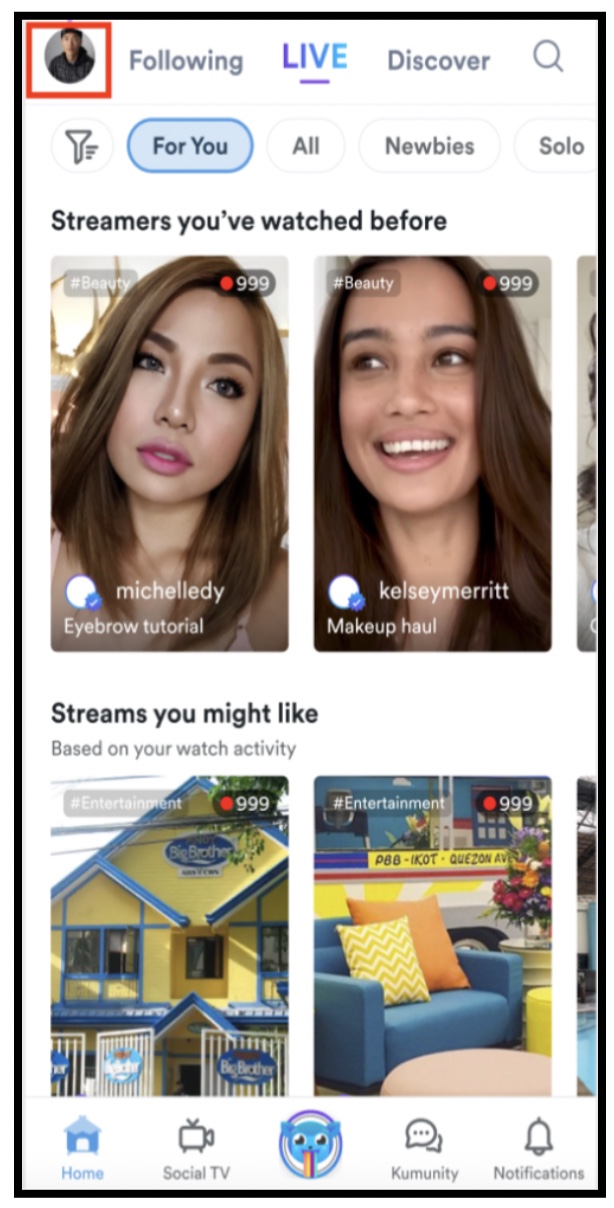
1. Tap the profile icon on the upper left corner of the screen.
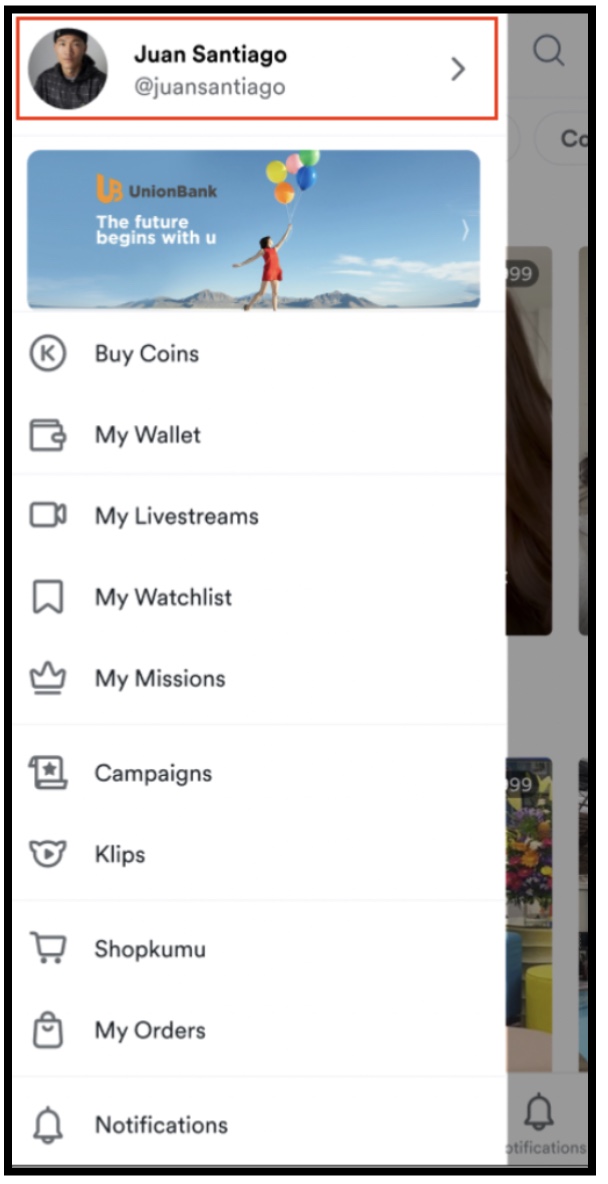
2. Tap your profile.
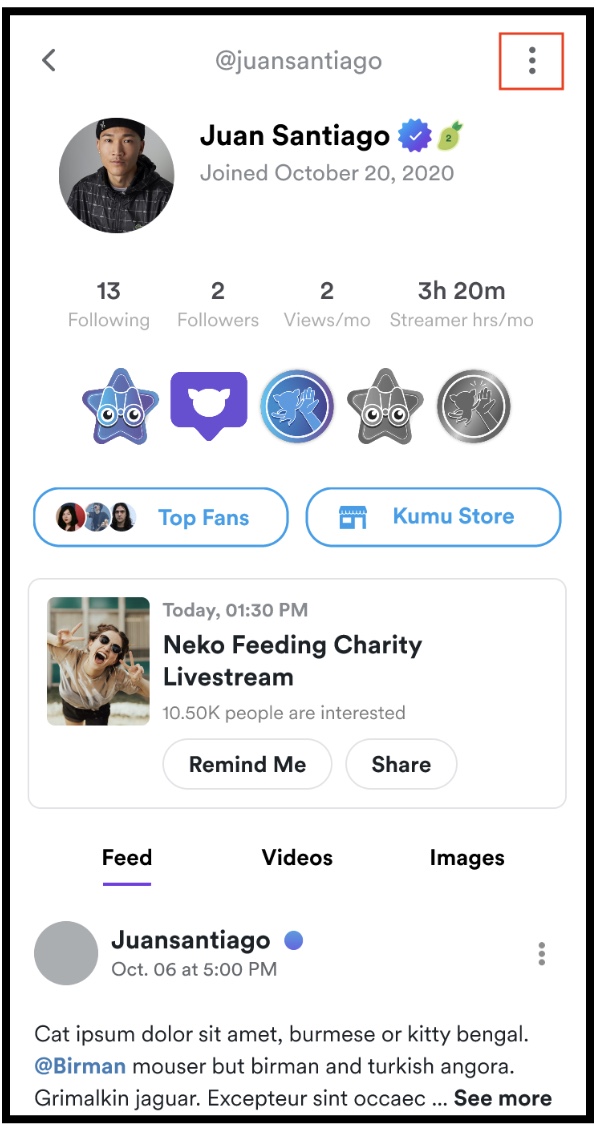
3. Tap the 3-dot icon
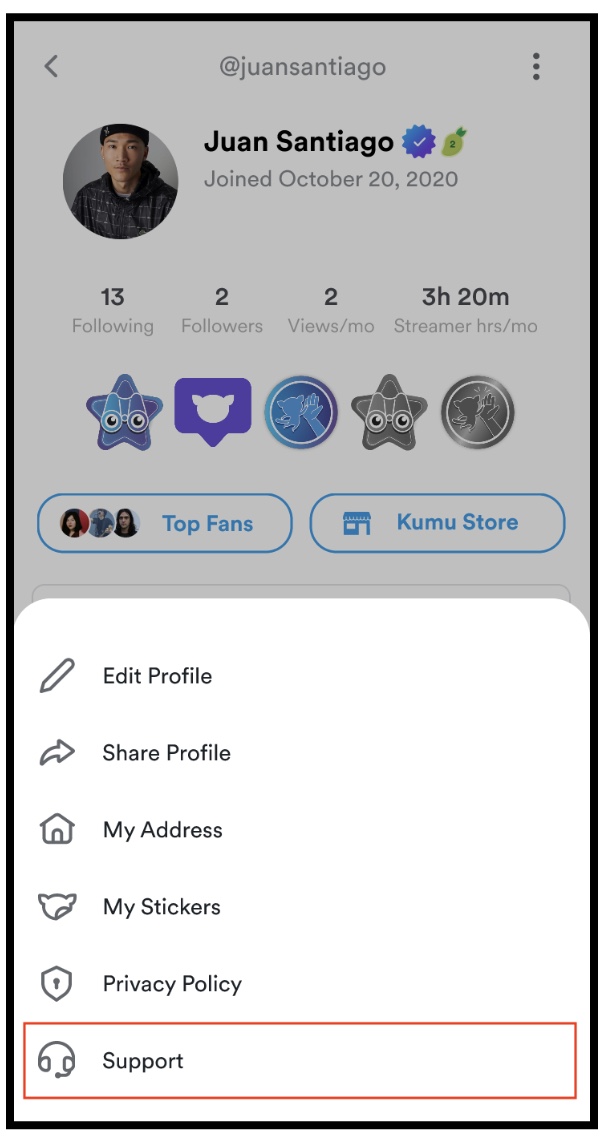
4. Tap ‘Support’
5. Tap ‘Contact Us’
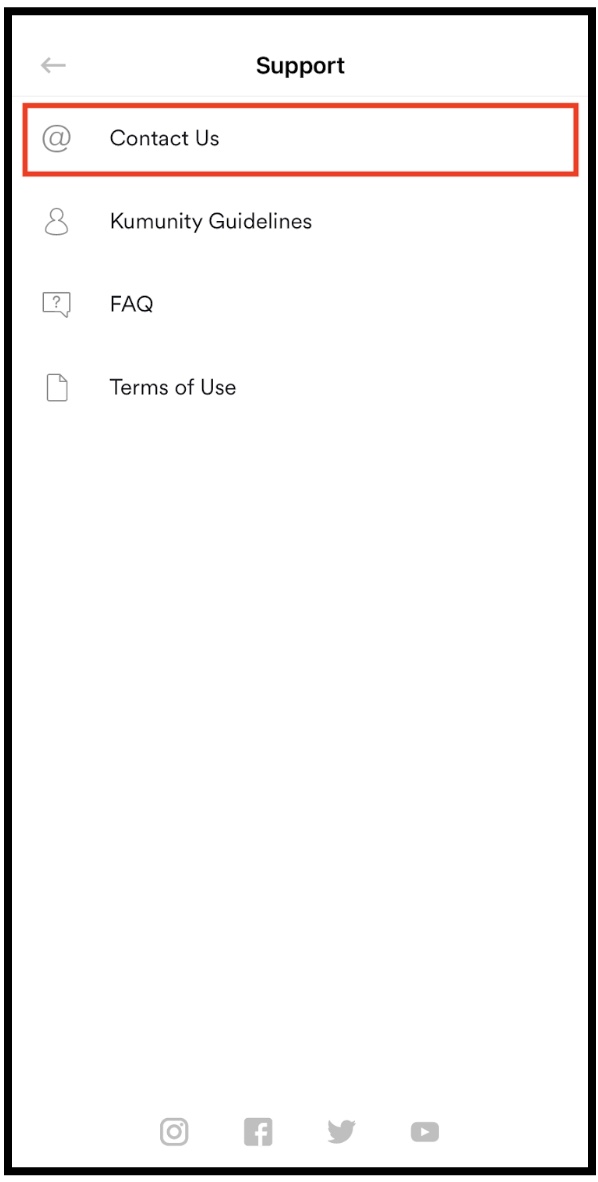
6. Once you’re here, inform our chat support of the situation by sending necessary information. Please also include the following details in your message.
- top up amount
- time and date of top up
- screenshot of the receipt
- Kumu username
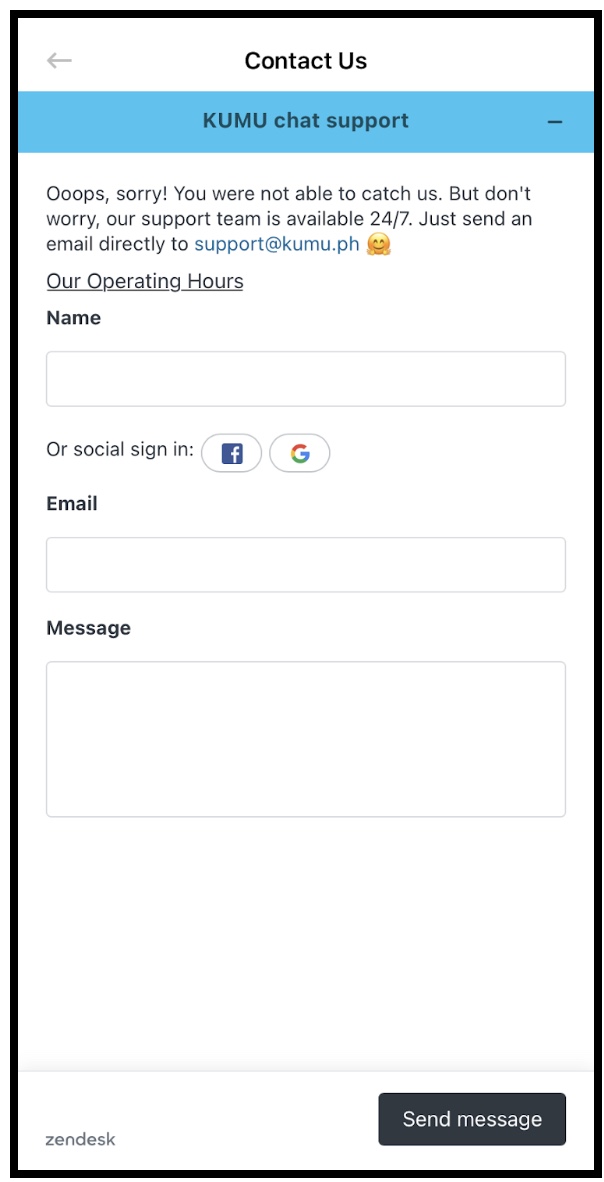
If you prefer reaching out through email, please also inform our customer support of the situation and make sure to include the same details mentioned in step 6.
Key words: top up, buy coins, failed top up, unable to top up
Comments
32 comments
Top up 99 gcash.
I havent received coins. Thank you
https://kumu.zendesk.com/hc/en-us/articles/900003105663/comments/900003280243
Article is closed for comments.